 Mukesh@gmail.com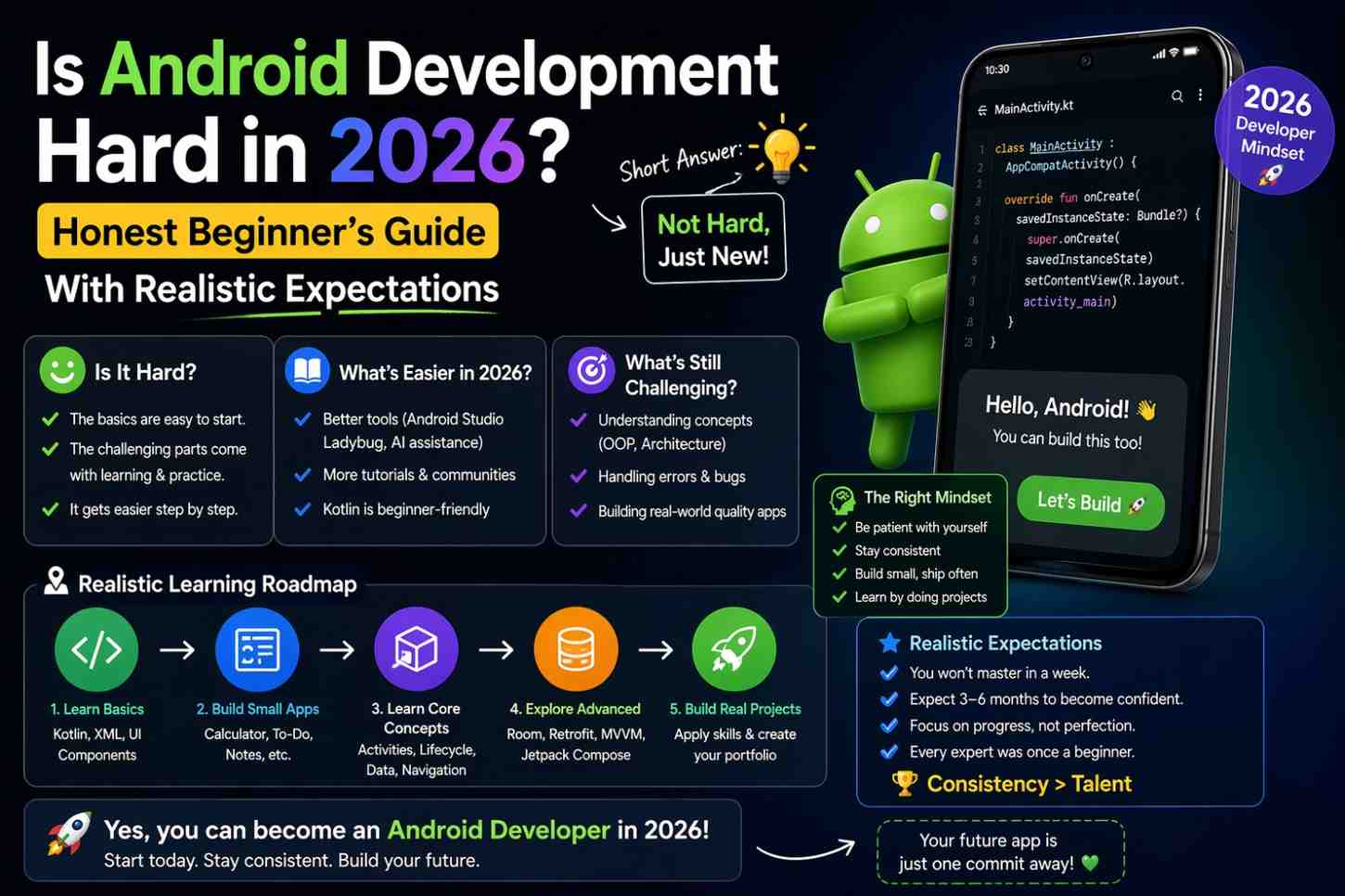
This is one of the most searched questions from people considering Android development — and most answers online are either dishonestly optimistic or needlessly discouraging. “Anyone can do it in a weekend!” is not accurate. “It takes years before you can build anything real!” is equally unhelpful. Neither prepares you for what learning actually looks like.
So is Android development hard? Here’s the honest answer, broken down into the parts that are genuinely difficult and the parts that are more approachable than most people expect.
The Short Answer
Android development is hard in the sense that it requires real time, consistent effort, and a willingness to sit with confusion during the early weeks. The ecosystem is large, concepts stack on each other, and the learning curve in the first few months is real.
But it’s also not gatekept by natural talent the way people sometimes fear. It rewards persistence and daily practice more than raw intelligence. Most people who stick with it get there — not because they were especially gifted, but because they kept going.
The real question isn’t whether Android development is hard in absolute terms. It’s whether it’s hard relative to your specific background, your available time, and your goals.
What’s Actually Difficult
The Sheer Number of Concepts
This is the genuine core challenge. Android development requires learning multiple things simultaneously — and each one has real depth.
Kotlin is the programming language. Jetpack Compose is the UI framework. The Android lifecycle is the platform model that governs how apps behave. ViewModel and StateFlow handle state management. Room is the local database library. Retrofit handles network requests. Hilt manages dependency injection. Navigation handles screen transitions. Coroutines handle asynchronous work.
None of these is impossibly complex in isolation. But learning them all while simultaneously trying to build something that actually works creates real cognitive load — especially in the first eight to twelve weeks. This is where most people who wonder is Android development hard find out the answer in practice. It’s also where most people who give up actually give up — not because they hit one insurmountable wall, but because the accumulated number of things to know starts feeling overwhelming.Is Android Development Hard
The Ecosystem Changes Constantly
Android development doesn’t sit still. Jetpack Compose replaced XML layouts. Hilt replaced manual Dagger setup. Kotlin Coroutines replaced RxJava for many use cases. Material 3 replaced Material 2.
For a beginner, this creates a genuine navigation problem. Older tutorials teach outdated approaches. Googling a specific error and finding five different solutions using five different library versions is confusing when you don’t yet know which version you’re even using.
The practical response: prioritize resources from 2023 onwards, use Google’s official documentation as your primary reference, and treat older resources as context rather than direct instruction.
Debugging Before You Recognize the Patterns
Most Android bugs beginners encounter aren’t actually complex — they’re the same twenty or thirty issues that appear repeatedly across projects. But before you’ve seen them before, diagnosing them feels like detective work without any clues.
NullPointerException from an uninitialized view. State not updating because it’s being read before collection. Data disappearing on screen rotation because it isn’t in a ViewModel. Gradle sync failing because of a version mismatch. These are all completely solvable once you know what to look for.
The first time each issue appears, it can take hours. The tenth time, it takes minutes. That ramp-up is uncomfortable — but it’s also the part that teaches you the most. Every debugging session you survive builds pattern recognition that compounds over time.Is Android Development Hard
What’s More Approachable Than Expected
The Tooling Is Genuinely Good
Android Studio in 2026 is a mature, polished development environment — and that matters more than beginners realize. Code completion is strong. Error highlighting is immediate. Gemini AI integration provides in-IDE explanations and suggestions that weren’t available to earlier generations of learners.
The @Preview system in Jetpack Compose lets you see your UI update in real time without running the app on a device or emulator. That instant feedback loop makes UI development significantly faster and less frustrating than the old build-run-check-repeat cycle. For anyone asking is Android development hard — good tooling quietly reduces the difficulty in ways that are easy to take for granted.
Jetpack Compose Has One Consistent Mental Model
This is something beginners genuinely don’t hear enough. Once you understand the core Compose model — UI is a function of state, and state changes trigger re-rendering — everything else is an extension of that same idea. You’re not learning ten disconnected systems. You’re learning one mental model with ten applications.
The initial confusion mostly comes from unfamiliar syntax. Once the syntax becomes readable — and it does, faster than it feels like it will — the underlying model is actually elegant and consistent. That consistency is a meaningful advantage compared to the older XML approach, which required learning two different systems that communicated through string IDs.Is Android Development Hard
The Community Is Enormous
Android has been around since 2008. There are millions of developers worldwide, thousands of active contributors on Stack Overflow, extensive official documentation, courses at every experience level, and active communities on Reddit, Discord, and Slack where beginners get genuinely helpful responses.
Almost any problem you encounter as a beginner has been encountered before — usually many times. Almost any question you have has been asked and answered. The resources available for learning and troubleshooting Android development are better right now than they’ve ever been. If Android development is hard in some ways, the availability of help is not one of them.
Your First Working App Comes Faster Than You Think
This is the part that surprises most beginners in a positive direction. Following a structured learning path, a complete beginner can have a simple but genuine working app — something that does a real thing, runs on their own phone, and they built themselves — within four to six weeks of consistent daily effort.
That first working app changes the experience of learning significantly. Abstract concepts become concrete. The motivation to continue builds. The next app takes noticeably less time because the foundational patterns are already in place. The question is Android development hard starts to feel less pressing once you have something working on your phone that you built yourself.
Realistic Time Expectations
Here’s an honest range based on consistent, focused learning — not passive tutorial watching, but actually writing code regularly.
Basic understanding and first simple app: 4–8 weeks of 1–2 hours daily.
Comfortable building multi-screen apps with local storage: 3–5 months of consistent practice.
Understanding architecture patterns like MVVM well enough to apply them: 4–6 months.
Junior Android developer level — able to contribute meaningfully to a real project: 8–14 months of serious, consistent study and project building.
These ranges assume you’re actively building projects alongside your learning. Passive consumption of tutorials without writing code extends every single one of these timelines significantly. Watching someone else code is not the same as coding. This distinction matters more than almost anything else.
For structured guidance on where to start, the official Android developer training path is one of the best free resources available — organized specifically for beginners and regularly updated to reflect current best practices.
Who Finds It Harder, Who Finds It Easier
Finds It Easier
People with any prior programming experience — even web development, basic Python scripting, or game modding — have a meaningful head start. Programming fundamentals like variables, functions, loops, and conditionals transfer directly to Kotlin. You’re learning Android-specific concepts rather than programming concepts and Android concepts simultaneously.
People who are comfortable sitting with confusion temporarily and working through problems methodically also tend to progress faster. The ability to stay in a problem without immediately reaching for a solution is a surprisingly important skill in early Android development.
Finds It Harder
Complete beginners with no prior coding experience face a steeper initial curve — they’re learning what a function is at the same time they’re learning what a Composable is. That’s a genuinely harder starting position. Not impossible, but harder.
People who expect fast results and get discouraged by the learning curve also struggle more. And people who consume tutorials passively without building anything themselves often feel like they understand things they don’t — and then get confused when they try to apply the knowledge independently.
Neither group is fixed in their position. Extra effort and deliberate practice compensate for less background experience. The people who succeed aren’t the ones who found it easiest at the start — they’re the ones who kept going through the confusing early weeks.
The One Thing That Predicts Success More Than Anything Else
Consistency. Not talent. Not prior experience. Not the quality of the specific course you’re taking. The people who build real Android apps are almost always the ones who wrote some code — even something small — on most days for several months.
Ten minutes of writing actual code every day is more valuable than three hours of watching tutorials on weekends. Daily repetition builds mental models, creates syntax familiarity, and compounds understanding in ways that intermittent intensive sessions simply don’t replicate.
If you’re asking “is Android development hard enough that I should give up?” — the answer is almost certainly no. If you’re asking “will this require real, consistent time and effort?” — absolutely yes. Both things are genuinely true at the same time.
The Kotlin documentation is worth bookmarking early — Kotlin is the foundation everything else builds on, and getting comfortable with it before diving deep into Android-specific libraries pays off significantly.
Final Conclusion
Is Android development hard in 2026? Yes — and also genuinely learnable. The difficulty is real. There’s a lot to understand, the initial weeks involve real cognitive strain, and the ecosystem requires navigating carefully to find current resources. None of that should be minimized.
But the tools are excellent, the community is supportive, the documentation is thorough, and the path from complete beginner to building real apps is clearer than it’s ever been. Android development is hard in the way that anything worth learning is hard — it requires sustained effort, patience through confusion, and the willingness to be a beginner for a while.
If you’re willing to show up consistently and keep building through the difficult early weeks, you’ll get there. That’s not an optimistic claim — it’s just what the pattern looks like for most people who actually do it.