 Mukesh@gmail.com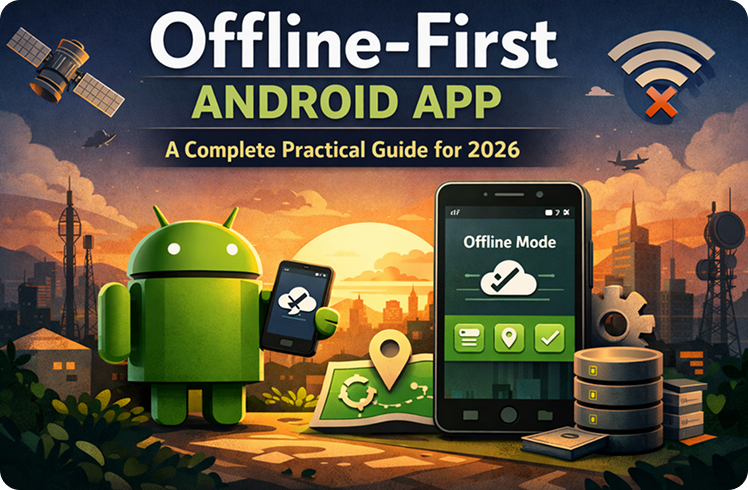
Most tutorials teach you how to fetch data from an API and show it on screen. That part is usually simple. But then you switch off the internet and reopen the app — and everything breaks. Blank screens, endless spinners, error messages that don’t help anyone.
Users don’t accept that anymore. They expect an offline-first Android app to at least show them something useful, whether they’re on fast WiFi, a slow mobile connection, or no internet at all. Meeting that expectation starts with how you design your local database and sync logic — from the very beginning.
What “Offline-First” Actually Means for Android Apps
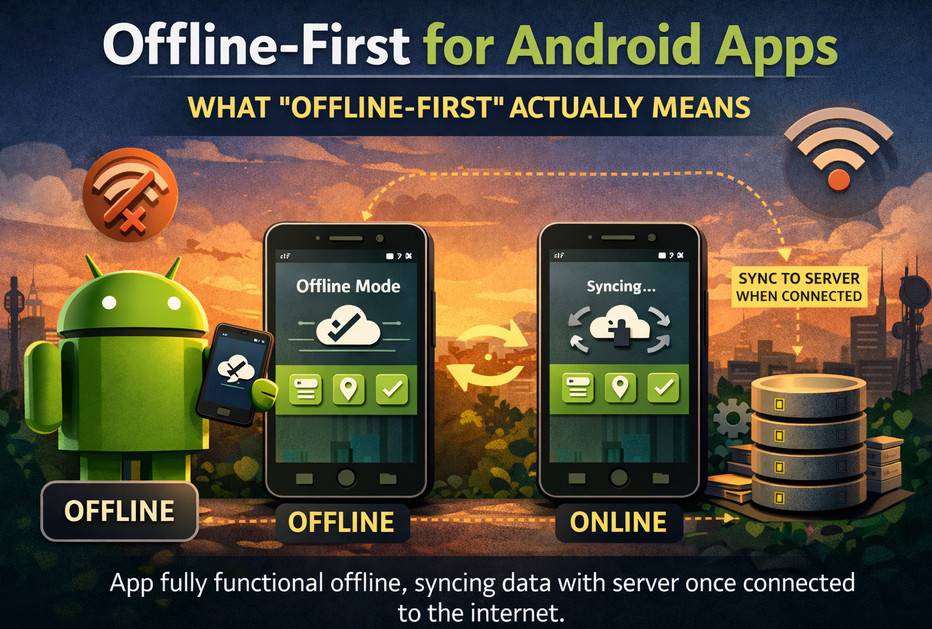
Offline-first doesn’t mean your app works perfectly without internet, forever. It means your app treats local storage as the primary data source — not a fallback plan.
In a typical network-first app, the flow is: make an API call → show the result. If the call fails, show an error. Simple, but fragile.
In an offline-first Android app, the flow is different: read from local database → show result → fetch from network in the background → update local database → UI reflects the change automatically.
The user sees data immediately. Network activity happens silently, in the background. No blocking. No blank screens. That’s the core difference.
Room: The Foundation of Local Storage
Room is Android’s official local database library, built on SQLite. In 2026, combining Room with Kotlin coroutines and Flow is the standard way to handle data persistence in a well-built offline-first Android app.
Room has three main parts:
Entities are Kotlin data classes marked with @Entity that define your database tables. DAOs (Data Access Objects) are interfaces marked with @Dao that define how your app reads and writes data. The Database class ties everything together and creates the Room instance.
kotlin
@Entity(tableName = "articles")
data class ArticleEntity(
    @PrimaryKey val id: String,
    val title: String,
    val content: String,
    val publishedAt: Long,
    val isSynced: Boolean = true
)

@Dao
interface ArticleDao {
    @Query("SELECT * FROM articles ORDER BY publishedAt DESC")
    fun getAllArticles(): Flow<List<ArticleEntity>>

    @Insert(onConflict = OnConflictStrategy.REPLACE)
    suspend fun insertArticles(articles: List<ArticleEntity>)

    @Query("SELECT * FROM articles WHERE isSynced = 0")
    suspend fun getUnsyncedArticles(): List<ArticleEntity>
}
Notice Flow<List<ArticleEntity>> as the return type. Room watches the database and emits a new list whenever anything changes — whether a user action caused it or a background sync did. That reactive behavior is what keeps your UI always up to date.
The Repository as Sync Coordinator
In a proper offline-first Android app, the Repository does more than just fetch data. It becomes the bridge between your local Room database and your remote API.
kotlin
class ArticleRepositoryImpl @Inject constructor(
    private val articleDao: ArticleDao,
    private val articleApiService: ArticleApiService
) : ArticleRepository {

    override fun getArticles(): Flow<List<Article>> {
        return articleDao.getAllArticles()
            .map { entities -> entities.map { it.toDomainModel() } }
    }

    override suspend fun syncArticles() {
        try {
            val remoteArticles = articleApiService.fetchLatestArticles()
            val entities = remoteArticles.map { it.toEntity() }
            articleDao.insertArticles(entities)
        } catch (e: IOException) {
            // Network unavailable — local data continues to display
        }
    }
}
getArticles() always reads from Room. syncArticles() goes to the network, saves fresh data to Room, and the UI updates itself automatically because it’s observing a Flow.
This clean separation is what makes an offline-first Android app feel smooth and reliable.
Designing Your Database Schema for Offline Support
Handling Deletions Without Breaking Sync
When a user deletes something locally — a saved note, a contact — you can’t immediately remove it from the server if there’s no internet. You need a soft delete approach.
kotlin
@Entity(tableName = "notes")
data class NoteEntity(
    @PrimaryKey val id: String,
    val content: String,
    val updatedAt: Long,
    val isDeleted: Boolean = false,
    val isSynced: Boolean = true
)
Records marked isDeleted = true are hidden from the UI. A background sync job sends the deletion to the server later, then removes the record from the local database permanently.
Tracking Sync Status Per Record
Every record that can be created or changed locally needs a sync status field. The simple version is a boolean isSynced. A more robust version uses a pendingOperation enum: NONE, CREATE, UPDATE, DELETE.
This gives your background sync job clear instructions — use POST for creates, PUT for updates, DELETE for deletions. Without this, syncing becomes guesswork.
Timestamps and Conflict Resolution
When the same piece of data can be modified both on the device and remotely, conflicts will happen. The most practical solution is last-write-wins — whichever modification has the more recent timestamp is kept.
Always store timestamps with your entities:
kotlin
val createdAt: Long,
val updatedAt: Long,
val serverUpdatedAt: Long?
During sync, your repository compares updatedAt against serverUpdatedAt to decide which version to keep. This is essential for any offline-first Android app that allows editing.
WorkManager: Reliable Background Sync
Syncing in the background — even when the app is closed — requires WorkManager. It’s the right tool for deferrable, reliable background work in 2025.
WorkManager handles network constraints, battery optimizations, and retry logic automatically. You don’t need to manage any of that yourself.
kotlin
class SyncWorker(
    context: Context,
    workerParams: WorkerParameters
) : CoroutineWorker(context, workerParams) {

    override suspend fun doWork(): Result {
        return try {
            articleRepository.syncArticles()
            Result.success()
        } catch (e: Exception) {
            Result.retry()
        }
    }
}

val syncRequest = PeriodicWorkRequestBuilder<SyncWorker>(1, TimeUnit.HOURS)
    .setConstraints(
        Constraints.Builder()
            .setRequiredNetworkType(NetworkType.CONNECTED)
            .build()
    )
    .build()

WorkManager.getInstance(context).enqueueUniquePeriodicWork(
    "article_sync",
    ExistingPeriodicWorkPolicy.KEEP,
    syncRequest
)
This schedules a sync every hour, but only when the device has a network connection. If the device is offline when the hour arrives, WorkManager waits until connectivity returns. For user-triggered syncs, use a OneTimeWorkRequest instead.
How Long Should Cached Data Live?
Not everything should be stored forever. A news app probably only needs articles from the past seven days. A weather app might invalidate its data after two hours.
You can handle this with a simple cleanup query:
kotlin
@Query("DELETE FROM articles WHERE publishedAt < :cutoffTime")
suspend fun deleteOldArticles(cutoffTime: Long)
Run this inside a periodic WorkManager job to prevent your local database from growing without limit. The right cache duration depends entirely on your app’s data. User profile information might stay valid for days. Real-time stock data might expire in minutes.
Design your cache policy around what your users actually need when they’re offline — not around what’s technically easiest to implement.
Telling Users About Network Status (Without Being Annoying)
Even in a well-built offline-first Android app, users want to know when they might be seeing stale data. Hiding network status entirely can quietly erode trust.
A small, unobtrusive label works well — something like “Last updated 3 hours ago” or a subtle sync indicator in the toolbar. That small amount of transparency helps users understand their data without interrupting what they’re doing.
Avoid modal dialogs or aggressive error screens for routine network unavailability. A Snackbar or a quiet status label is far less disruptive and keeps the app feeling polished.
For deeper reading on Android’s offline architecture recommendations, the Android Developers Architecture Guide is worth bookmarking. And for a detailed WorkManager reference, the official WorkManager documentation covers advanced scheduling and constraints thoroughly.
If you’re also building your app’s ViewModel layer, our practical guide to Android StateFlow and ViewModel pairs well with this offline architecture. And for teams working with multiple data sources, our Room database relationships guide explains how to model complex data for local storage.
DataStore for Settings and Simple Offline Data
Not everything belongs in Room. User preferences, app settings, simple feature flags — these fit better in Jetpack DataStore, which replaced SharedPreferences as the modern standard.
DataStore uses Kotlin Flow and coroutines, which keeps it consistent with the rest of your offline-first Android app architecture. It handles serialization reliably and avoids the threading bugs that SharedPreferences was known for.
In offline-first apps specifically, DataStore handles things like “last sync timestamp,” “user settings that need to be synced,” and “feature flags downloaded during the last active session.”
Final Conclusion
Building an offline-first Android app isn’t an advanced feature you add at the end of a project. In 2026, it’s a baseline expectation. People use apps in subways, basements, rural areas, and airplane mode. Your app should handle all of those situations without falling apart.
The architecture that makes this work is actually straightforward once you commit to it: Room as the primary data source, Kotlin Flow to keep the UI reactive, WorkManager for reliable background sync, and a schema designed to handle deletions, conflicts, and pending operations properly.
Get this foundation right and your app becomes genuinely dependable — not just when everything works perfectly, but in the real, unpredictable conditions your users actually live in every day.